The Flex Web Service is an Interactive Brokers interface through which an application fetches predefined reports (Flex Queries) with a token. Unlike the TWS API it needs no running Trader Workstation: the request goes straight to the IBKR servers and returns executions, cash transactions and positions as XML. With introducing brokers such as CapTrader, LYNX or Estably the Flex Web Service is usually available in the same way, because the accounts run on the same platform.
A trading journal needs two queries. The Activity Flex Query returns the history up to 365 days back and is prepared by IBKR overnight. The Trade Confirmation Flex Query returns the executions of the current day, usually five to ten minutes after the fill. Both queries are created once in the Client Portal, after that the software only needs the token and the two Query IDs.
Step by step
-
1
Enable the Flex Web Service and generate the token
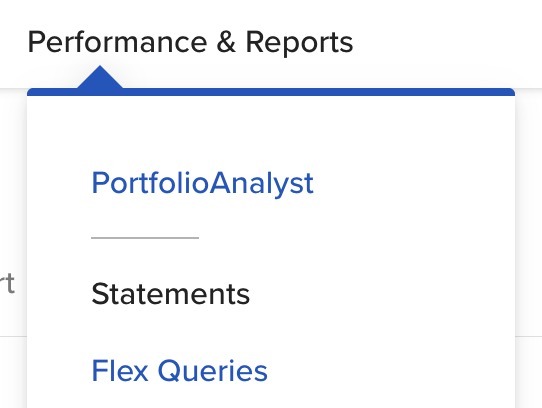
Log in to the IBKR Client Portal (Account Management) and go to Performance & Reports, then Flex Queries.
-
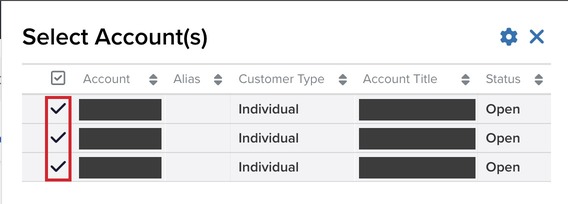
If you have several accounts, select all of them first under Select Account(s) and click Continue, otherwise the configuration section does not appear.
-
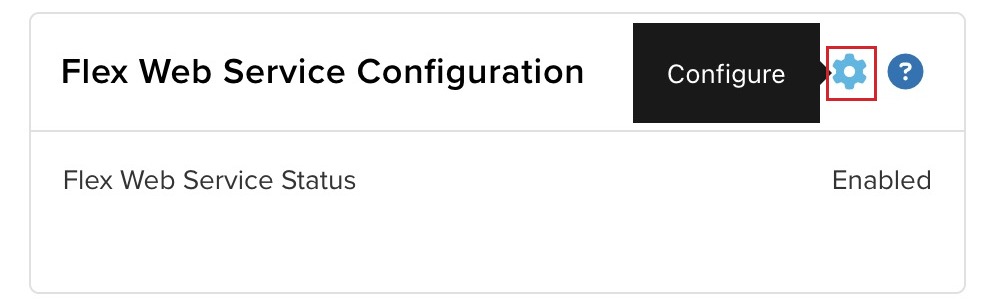
On the right, find Flex Web Service Configuration and click the gear icon.
-
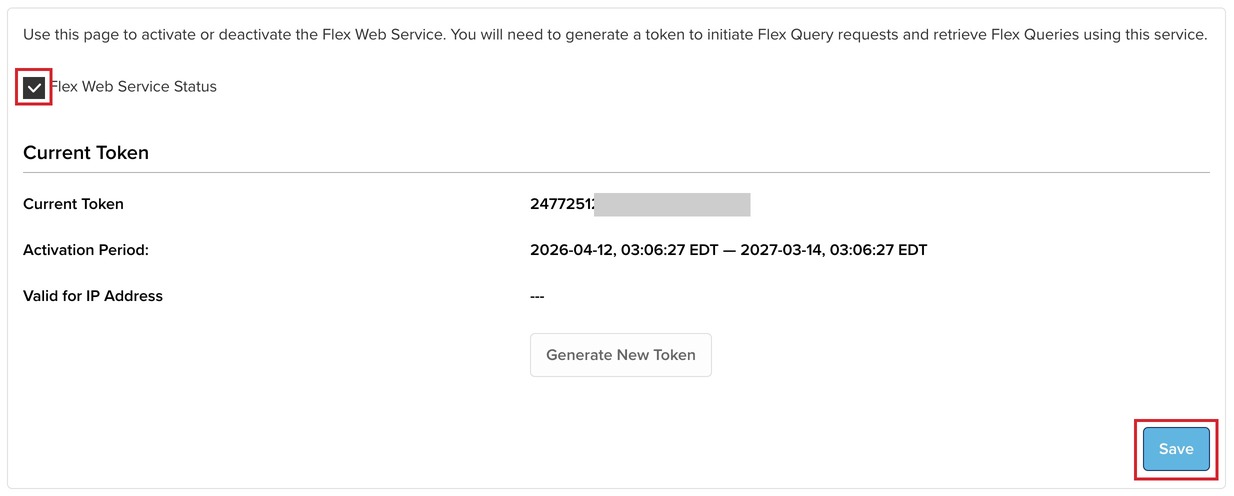
Enable Flex Web Service Status and save. IBKR then shows the token: a long string of digits that you enter in the software.
-
IBKR sets the validity of the token, one year by default. When it expires you generate a new one in the same place.
-
-
2
Create an Activity Flex Query (history up to 365 days)
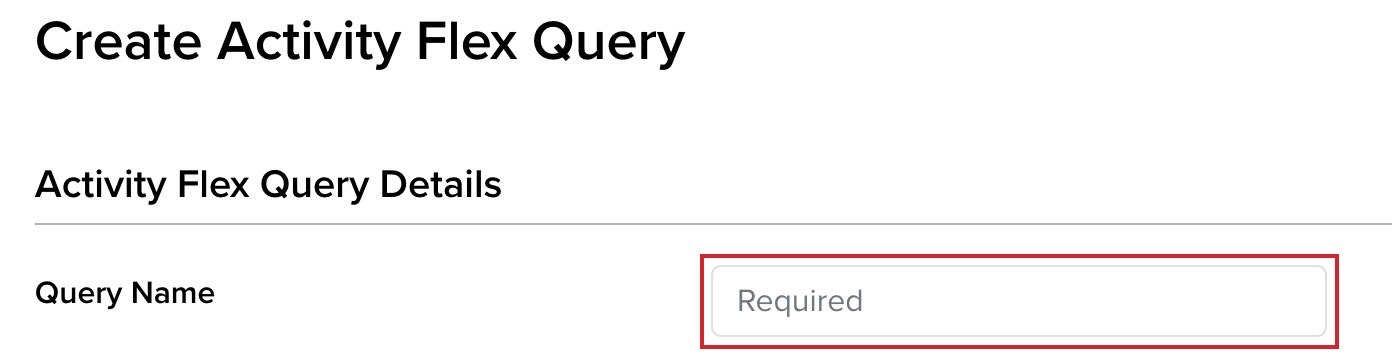
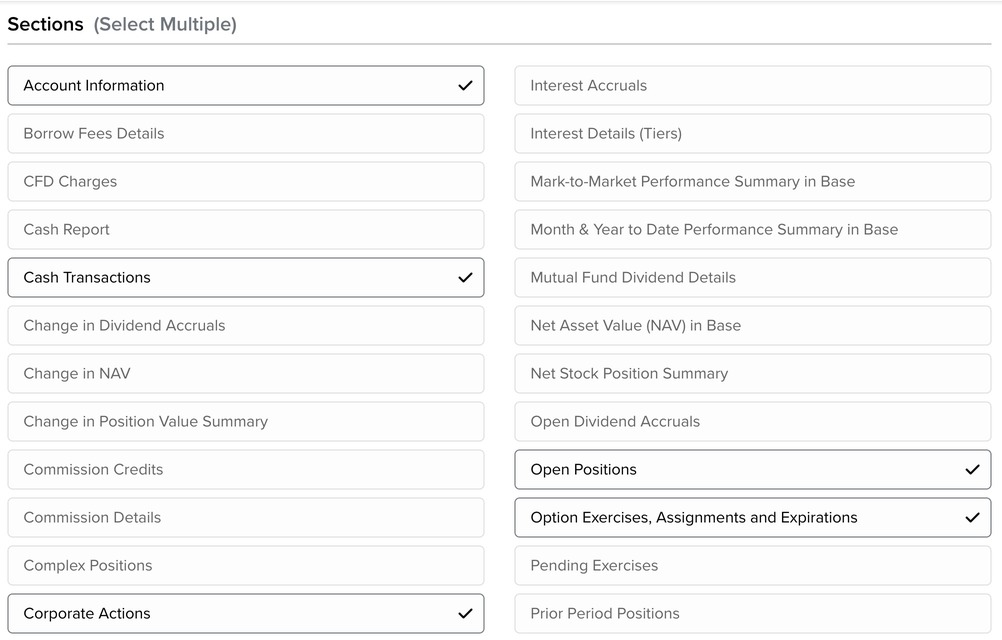
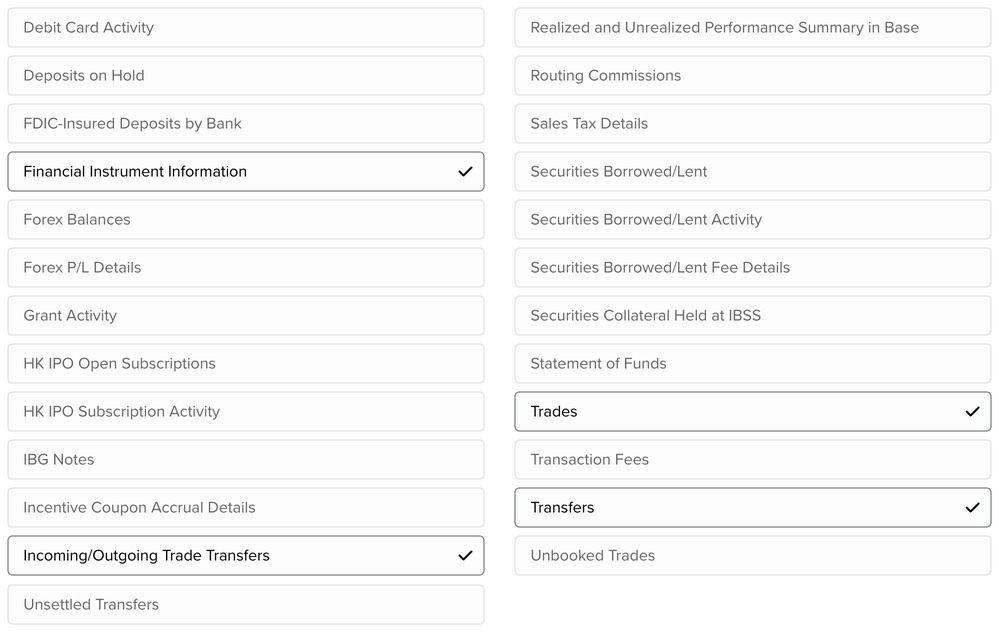
Under Activity Flex Queries click the plus (Create) and enter a name, for example "Journal Activity". Then select the sections the software needs: click each section, choose Select All and save.

-
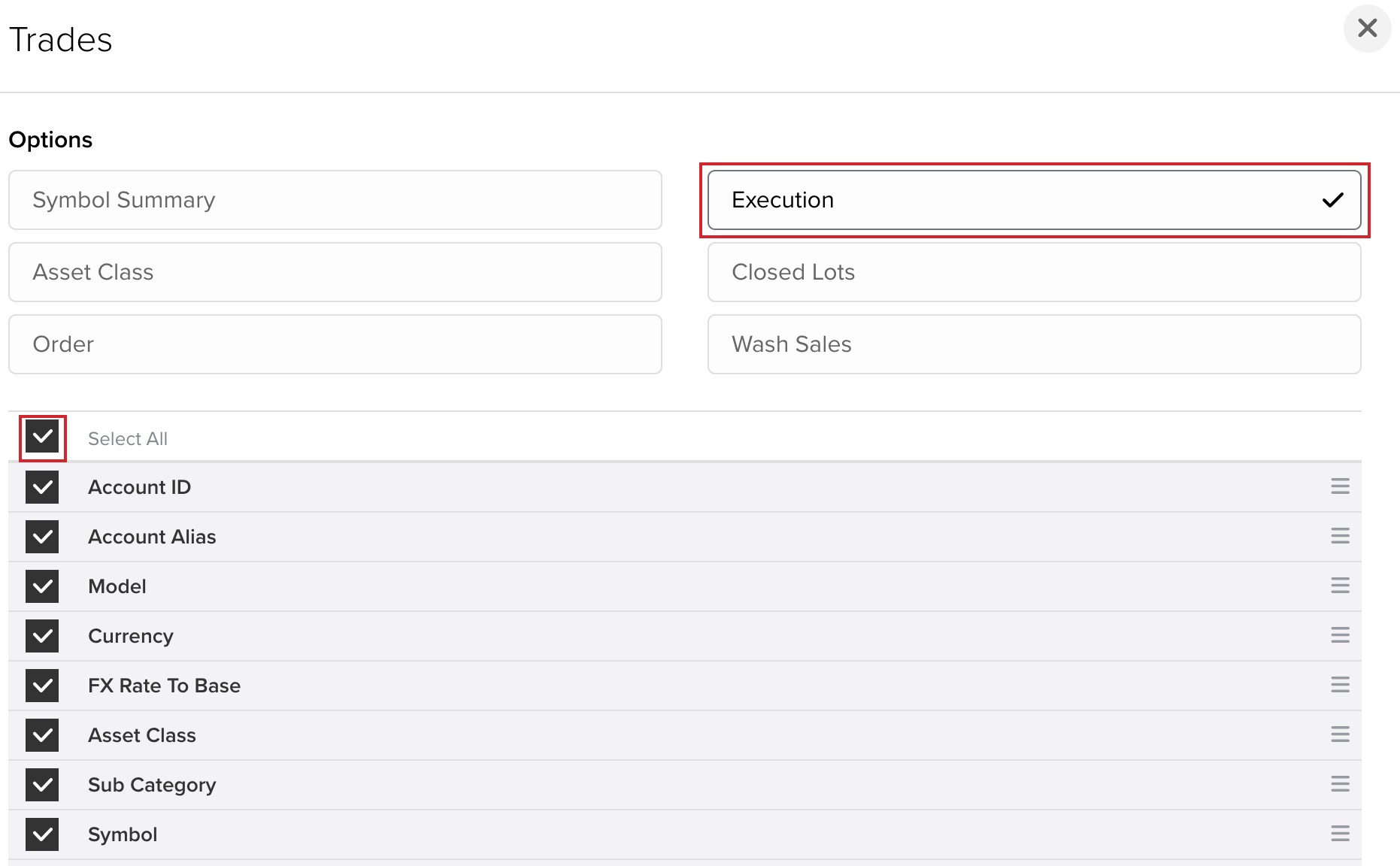
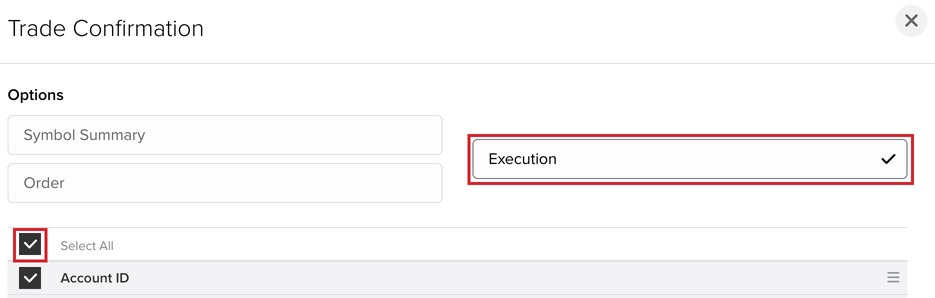
Trades: check in the dialog that Executions is selected, then Select All.
-
Depending on the feature set of the software, further sections have to be enabled besides Trades, for example Account Information, Cash Transactions, Corporate Actions, Transfers or Option Exercises. Which ones exactly is in the documentation of the respective software.
-
-
3
Format and period of the Activity Query
In the lower part of the query define the output. These settings can vary depending on the software.
-
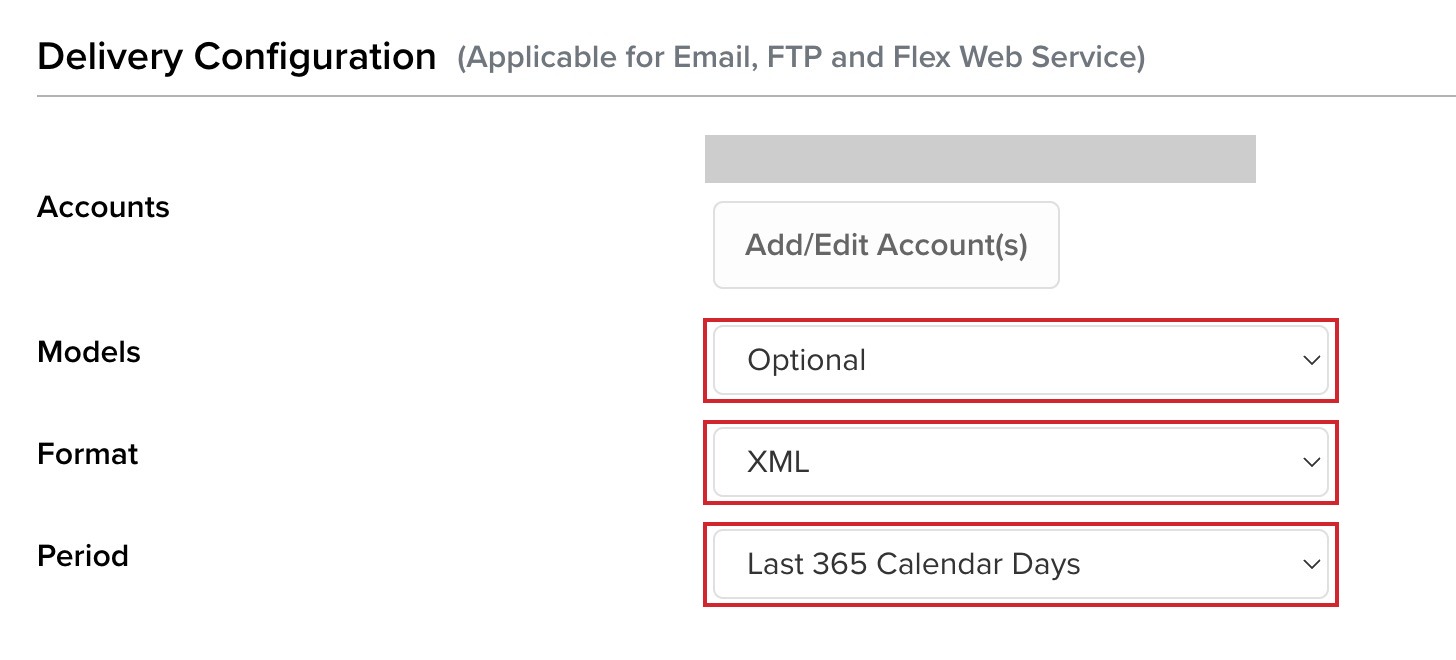
Delivery Configuration: Models Optional, Format XML, Period Last 365 Calendar Days. XML is the format the Flex Web Service delivers and practically every software reads. 365 calendar days is the maximum period of an Activity Query.
-
General Configuration: date and time format, separator, profit and loss method and the Yes/No options below are conventions of the respective software. Which values it expects is in its documentation.
-
Click Create and confirm with OK. Copy the Query ID, a seven-digit number, via the pencil icon next to the query.
-
-
4
Create a Trade Confirmation Flex Query (today's trades)
Next to Trade Confirmation Flex Queries click the plus, enter a name such as "Journal Today" and select Trade Confirmation with Select All. The period of this query is fixed to Today.


-
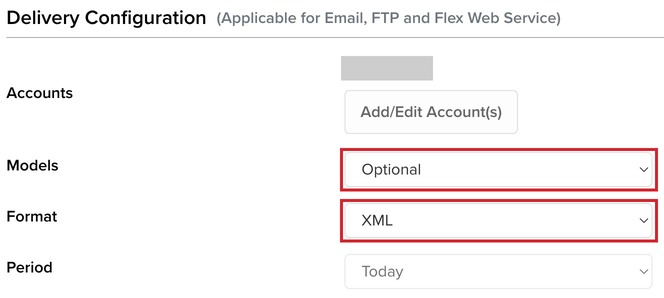
Delivery Configuration: Models Optional, Format XML. General Configuration with the same values as for the Activity Query, that is, as the software requires.
-
Continue, Create, OK. Copy the Query ID via the pencil icon, as with the Activity Query.
-
-
5
Enter token and Query IDs in the software
The software needs three values: the token from step 1 and the Query IDs of the Activity and the Trade Confirmation query. How often and when the queries are fetched is up to the respective software. IBKR sets the limits: the Activity Query returns new data only after the overnight processing, the Trade Confirmation Query within minutes of the fill.
Worth knowing
- Activity data is available only after IBKR's overnight processing, about four to six hours after the market close. The Trade Confirmation query covers the current day.
- The Activity Query reaches back at most 365 calendar days. Older data can be downloaded via the CSV export of the account statement.
- The Flex Web Service works with live accounts only. Paper trading accounts depend on the TWS API or the CSV import.
- Flex timestamps are in US Eastern time. Software has to convert them, otherwise evening trades slip onto the wrong day.
- Every leg of a combo order gets its own order id in Flex. Software that groups legs by order id splits every spread into single trades.
Frequently asked questions
Do I need both Flex Queries?
For a complete journal, yes. The Activity Query delivers the history and the cash transactions, but only the next day. The Trade Confirmation Query delivers the executions of the current day within minutes, but contains no cash transactions.
Why does the Flex Web Service Configuration section not appear?
With several accounts the Client Portal shows the section only once all accounts are selected at the top. Single accounts see it directly under Performance & Reports, Flex Queries.
Does the Flex Web Service work with CapTrader, LYNX or Estably?
Usually yes. The accounts of these introducing brokers run on the IBKR infrastructure, the Client Portal and the Flex Queries are the same. When in doubt, ask the broker whether the Flex Web Service is enabled.
What happens when the token expires?
The fetch fails until a new token is generated and entered in the software. IBKR sets the validity when you enable the service, one year by default.