Trading Journal & Market Analysis.
Runs locally on your machine.
Every execution, roll and dividend from your IBKR account lands in the journal automatically, option strategies are detected from the legs, market data lives in the same app. Desktop app for macOS and Windows, all data local on your machine, support in German and English from Switzerland.
- Built for Interactive Brokers traders
- Runs locally as a desktop app
- Your trades stay on your machine
- Support in German and English by email
Your trading hub on the desktop
Journal, market data and analytics in one app - for Interactive Brokers and all IBKR-based brokers like CapTrader or LYNX.
Foliograph
Trading journal, market indicators, portfolio analytics and AI-assisted trade review for IBKR Trader Workstation users, with your data stored locally rather than in the cloud.
- Trading journal with images & tags
- ETF screener with holdings and options data
- IBKR sync via CSV, TWS API & Flex Queries
- 30-day free trial
- macOS & Windows
Everything you need for your trading journal
Built by a trader, for traders. Your data stays your data: stored locally, not in the cloud.
Trading Journal
Automatic trade logging from IBKR. Analyse your trades and add notes, tags and images to them.
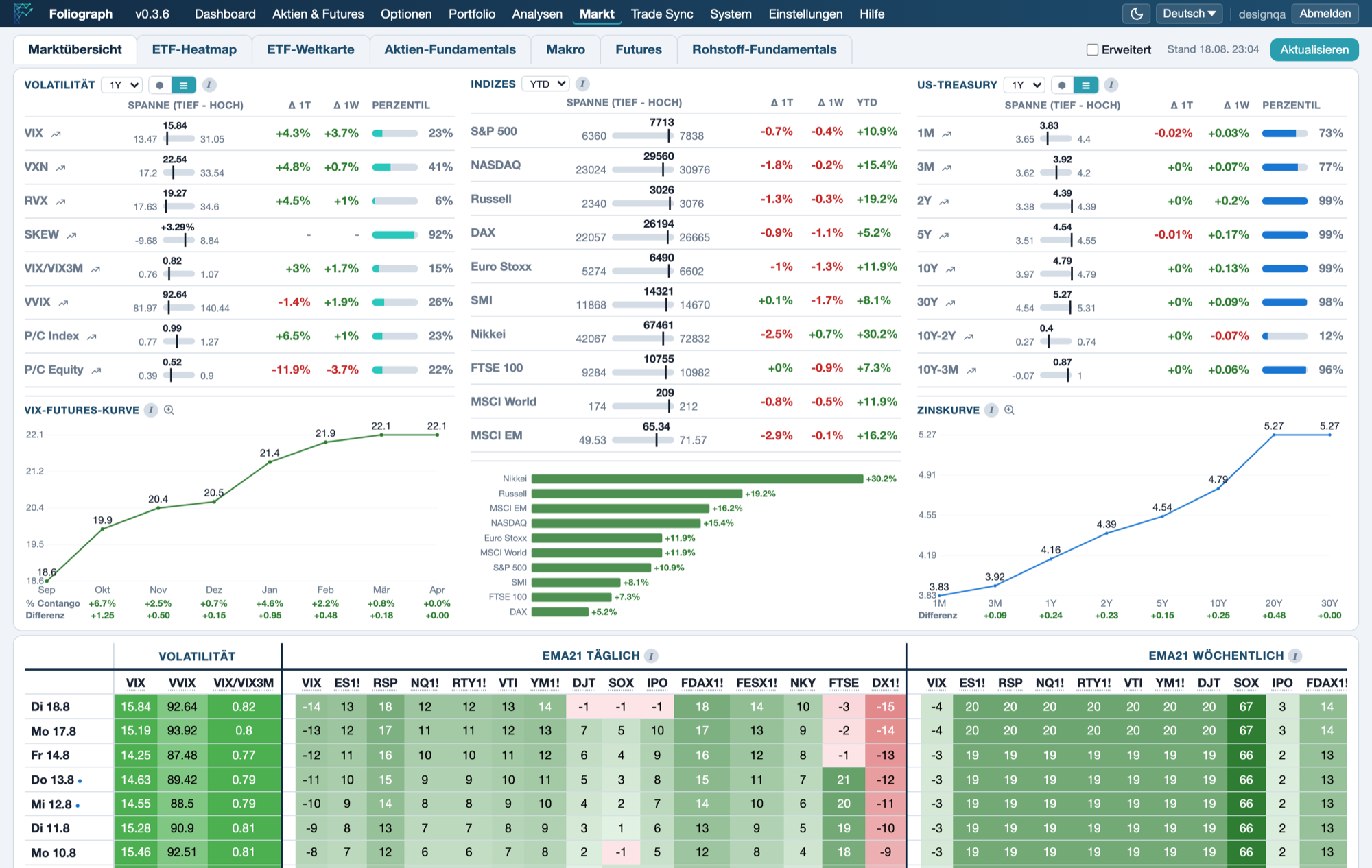
Market Overview
Volatility indices, yield curve, VIX futures curve and EMA21 breadth with historical percentiles, plus the ETF heatmap with holdings and options data.
Portfolio Analytics
Win rate, average P&L, risk metrics and performance charts. Sliced by strategy, asset type or time period.
IBKR Sync
Import your trades via CSV, TWS API and Flex Queries. Flex Queries also work intraday and without a running TWS, so your journal is always up to date.
AI Trade Review
Get AI-powered analysis of your trades using OpenAI, Gemini or Claude. Understand what went right and wrong.
Privacy First
Runs entirely on your machine. No cloud storage. No account required. Your trading data stays yours.
Get started in 3 steps
Download & Install
Register with your email and download the app for macOS or Windows.
Connect to IBKR
Enter the Flex token and query IDs from the Client Portal and enable the TWS API for market data. The wizard walks you through both steps, the how-to guides show every setting.
Review
Your trades are logged automatically and grouped into positions. Review them with metrics, charts and the AI trade review.
Frequently asked questions
Does Foliograph run entirely locally on my machine?
Yes. Foliograph is a desktop app for macOS and Windows. Journal, market data and analytics live in a local database on your machine. There is no cloud account and no sync to third-party servers.
Is support available in German?
Yes. Foliograph is developed in Switzerland. I answer questions about installation, the IBKR connection or licensing personally by email, in German or English.
Which brokers are supported?
Interactive Brokers and introducing brokers on IBKR infrastructure, for example CapTrader, LYNX, Estably or Agora Direct. Trades reach the app through the TWS API or the Flex Web Service.
Do I need a cloud subscription?
No. Foliograph is sold as an annual license for the desktop app, with no cloud subscription and no automatic renewal. You can try it free for 30 days without a credit card.
Test it with your own IBKR data
30 days free, no credit card, all features included.